Find any file on your Mac.
Instantly.
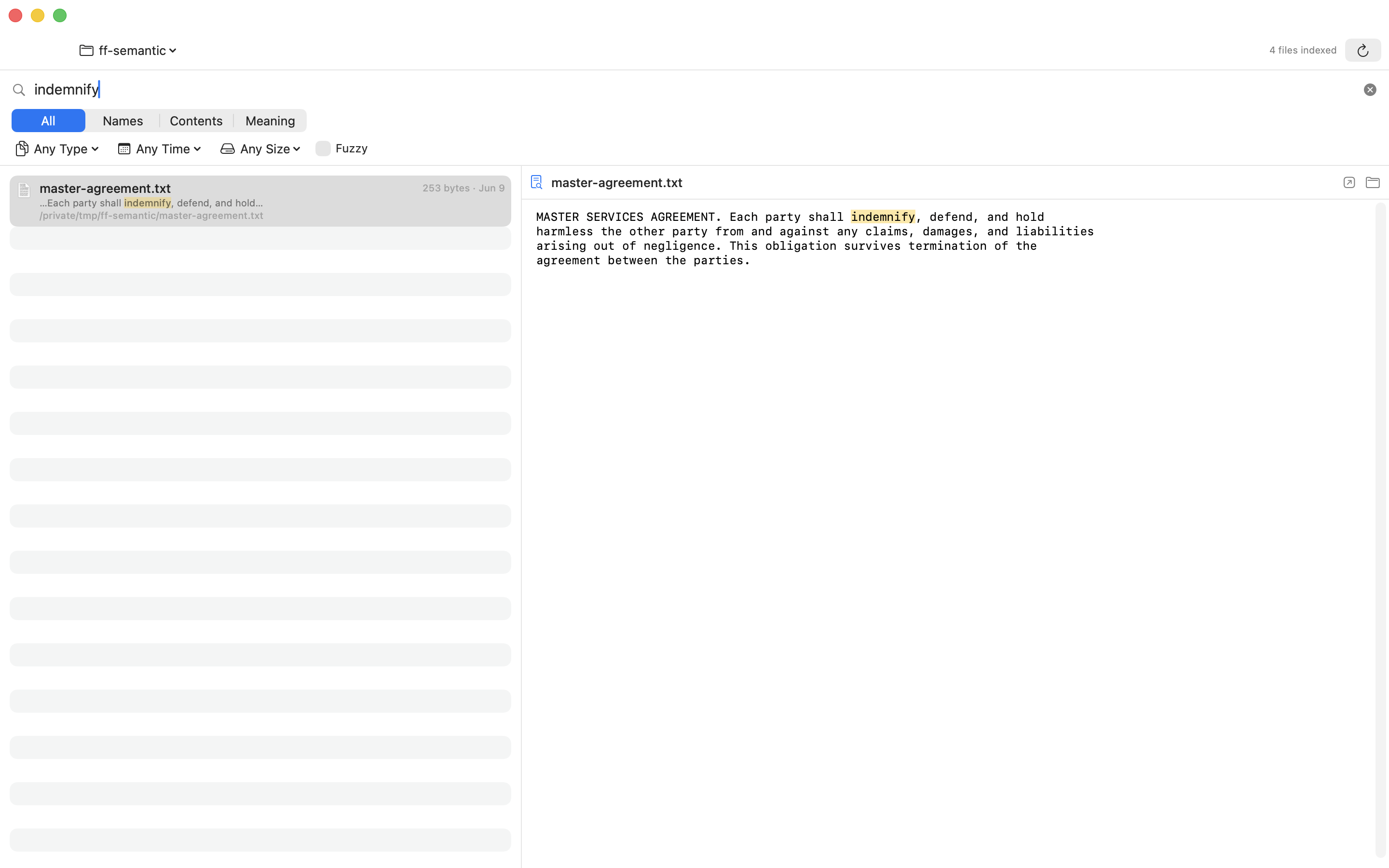
By name, type, date, or size. By the words inside your PDFs, docs, and screenshots. Even by meaning — all 100% on your Mac.
macOS 14+ · Apple Silicon & Intel · Free
Spotlight can’t find it. FileFox can.
A live index that stays fresh automatically — search works the moment you start typing, and never costs you battery.
Every file, findable
Name, type, date, size — every file in your chosen folders, with instant as-you-type results.
Sees inside files
Full-text search in PDFs, Word, Excel, PowerPoint, Pages, Keynote, email, notes, and code.
Reads your screenshots
On-device OCR makes screenshots and scanned PDFs searchable by the words in the pixels.
Search by meaning
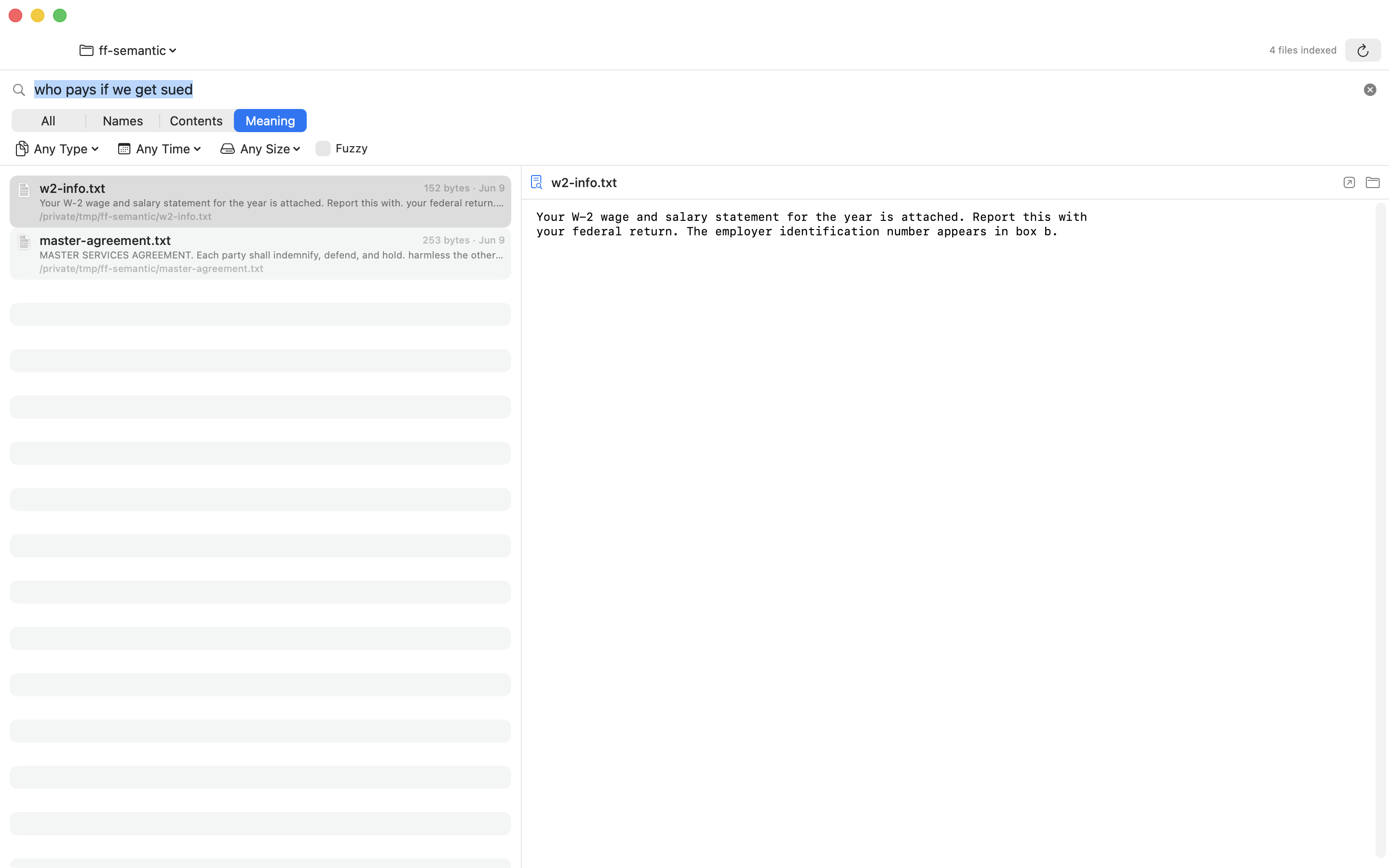
Describe what a file is about — in English or Spanish — and FileFox finds it, even with zero matching words.
Summon from anywhere
⌥Space brings FileFox up over any app. Arrow keys, Return to open, ⌘Return to reveal in Finder.
Private by design
No cloud. No account. No telemetry. Your files and your searches never leave your Mac.
Type what you mean.
Get the file.
FileFox’s on-device AI understands what your files are about.
Get FileFox
Free to download. Index your folders once — search forever.
Do I have to re-index when I add new files?
No. FileFox indexes your folders once, then stays up to date automatically — new and changed files become searchable within seconds.
Will it drain my battery?
No. Heavy work (OCR, AI indexing) runs on a low-priority background queue that pauses automatically in Low Power Mode or when your Mac runs hot.
What about my privacy?
Everything happens on your Mac — indexing, OCR, and the AI. FileFox has no account, no analytics, and no networking. You choose exactly which folders it can see.
What can it read inside?
PDFs, Word/Excel/PowerPoint, Pages/Keynote/Numbers (with previews), plain text, Markdown, source code, .eml/.emlx email — plus OCR for images and scans.